On this page
- Unlocking the WS1 without touching a single value
- Getting to the settings you actually need
- Setting the time of day
- Setting the hardness
- Setting capacity
- Choosing a regeneration type
- Setting day override and regeneration time
- Salt alarm and forcing a regen by hand
- A worked example: settings for one typical home
- What to leave alone
- Your Clack numbers, worked out
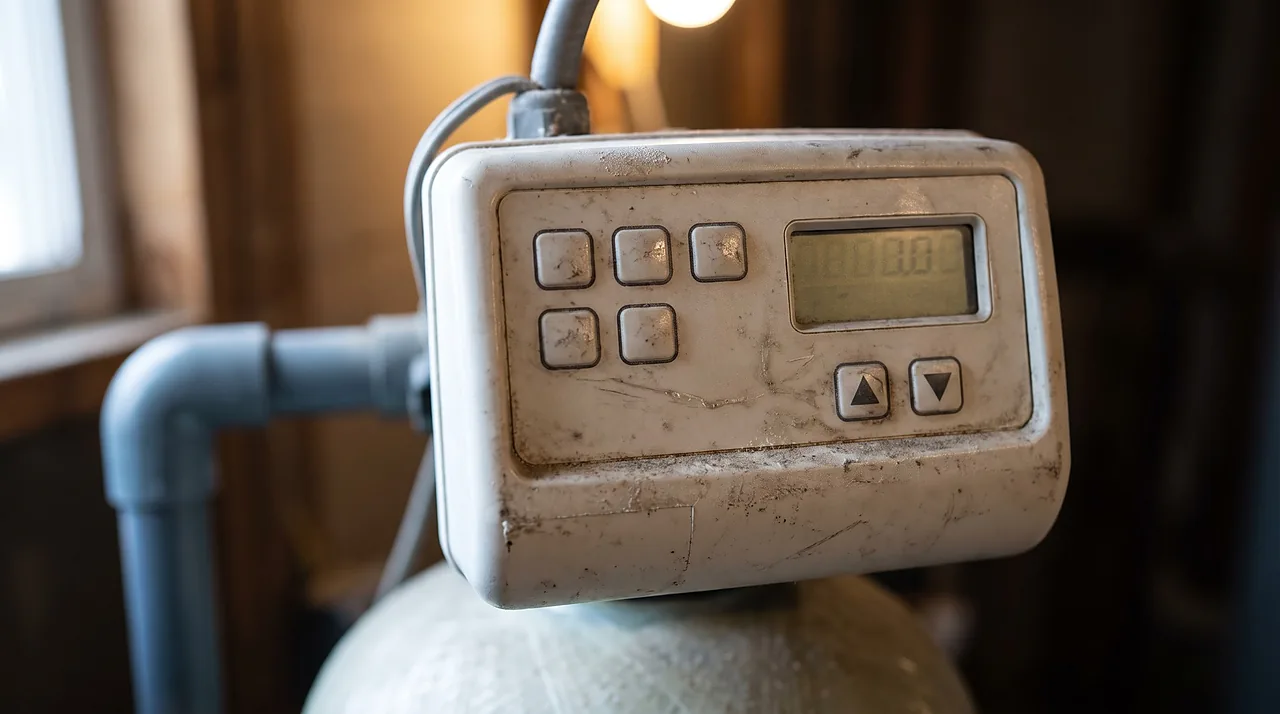
To check or adjust your daily water hardness, day override, or regeneration hour on a Clack WS1 control valve, hold NEXT and the Up Arrow simultaneously for 3 seconds to open Installer Display Settings. If you need to reach deeper system programming (capacity, salt dose, cycle durations, or diagnostics) and the screen ignores your button hold after 5 seconds, the dealer lock is active: press Down Arrow, then NEXT, then Up Arrow, then SET CLOCK in sequence to unlock the valve without erasing a single stored value.
Unlocking the WS1 without touching a single value
Dealers can lock the Clack WS1 control head after installation so homeowners do not accidentally alter piston or cycle-sequence settings. However, Clack's firmware explicitly exempts four everyday settings from that lock: time of day, inlet water hardness, day override, and regeneration time remain adjustable even on a locked valve.
When you do need to inspect deeper menus (such as ionic capacity, salt fill weight, or flow diagnostics), unlock the board with Clack's four-button toggle sequence:
- Press and release the Down Arrow.
- Press and release NEXT.
- Press and release the Up Arrow.
- Press and release SET CLOCK.
Entering that exact four-button sequence a second time re-locks the valve when you finish. Unlocking never wipes programming. A full factory reset requires a completely different two-stage combination (holding NEXT + Down Arrow to reach the Treatment Type screen, then pressing Down Arrow + Up Arrow simultaneously), so you cannot accidentally reset your dealer's setup just by unlocking the display.
Getting to the settings you actually need
Unlike a single scrolling menu, the Clack WS1 divides its software into five separate programming levels, each opened with its own 3-second button hold. While the general theory behind those four settings applies across all softener brands, this table maps exactly where each parameter lives on a WS1 board:
| Programming Level | Entry Combo (Hold 3 Seconds) | Parameters Inside | When an Owner Uses It |
|---|---|---|---|
| Installer Display Settings (1I) | NEXT + Up Arrow (exempt from valve lock) |
Inlet hardness (2I), service blending hardness (3I), day override (4I), regeneration hour (5I) | Whenever water hardness, iron load, or household schedule changes |
| OEM Softener System Setup (1S) | NEXT + Down Arrow (once) |
Cycle step times, ionic capacity (4S), volume capacity mode (5S), regen trigger mode (6S), salt fill / alarm (9S) | When auditing salt dose efficiency or changing resin volume |
| OEM Cycle Sequence (1CS) | NEXT + Down Arrow (hold 3s, release, repeat a second time) |
Valve size, meter size, cycle sequence order, hardness display units (gpg/ppm) | Almost never; matched to physical valve body, piston, and plumbing |
| Diagnostics (1D) | Down Arrow + Up Arrow (once) |
Current flow rate, peak flow, days/volume since last regen, error log, software version | Read-only troubleshooting when checking meter accuracy or error codes |
| Valve History (1VH) | Down Arrow + Up Arrow (hold 3s, release, repeat a second time) |
Total lifetime regenerations, total volume treated since install | Read-only check on resin age and lifetime usage |
Setting the time of day
The clock is the setting most owners need first, after a power outage or a time change. Press SET CLOCK, use the arrows to set the hour (watch the PM indicator, because a clock 12 hours off moves the "2 a.m." regeneration into the middle of the afternoon), step to the minutes, and confirm. Time of day stays adjustable even on a locked valve.
Setting the hardness

Hold NEXT + Up Arrow for 3 seconds to enter Installer Display Settings. Step 2I is Inlet Water Hardness, which appears whenever Volume Capacity (Step 5S) is set to AUTO. If your valve includes an internal mixing/blending screw, Step 3I (Service Water Hardness) appears next and must always be set lower than Step 2I.
Before changing the number on Step 2I, look at the unit label beside the digits on the LCD. Boards sold in the US usually show grains per gallon (gpg), but the display unit is a setting in the OEM Cycle Sequence menu, and international (CI) boards may show parts per million (ppm / mg/L) or French or German degrees. Per the Water Quality Association conversion, 1 gpg equals 17.1 mg/L (ppm) as calcium carbonate. If your board displays PPM and your test strip reads 12 gpg, you must enter 205 (12 x 17.1), not 12. Entering gpg into a ppm screen tells the valve your water is 17 times softer than it is, so it waits far too long between regenerations and hard water breaks through.
Which number to enter: your own tested raw hardness, plus 3 to 5 gpg for every 1 ppm of clear-water (ferrous) iron if you are on a well. A city water report is a system-wide average, so use it only as a stopgap until you test your own tap. Padding the number "to be safe" is a common tip, but the valve divides capacity by this figure, so a 15% pad shortens every cycle by about the same share and buys no softer water. For context, above 7 gpg (120 mg/L) counts as hard and above 10.5 gpg (180 mg/L) as very hard on the USGS scale. The full calculation is in how to set hardness on a softener.
Can you set how soft the water comes out? Not with Step 2I. A working softener delivers fully softened water whatever hardness you enter; the setting only changes how often it regenerates. The only built-in way to leave some hardness in the treated water is a mixing (blending) valve, and that is what Step 3I is for.
Setting capacity

Capacity settings live one level deeper in OEM Softener System Setup (hold NEXT + Down Arrow for 3 seconds after unlocking). In Step 4S (Ionic Capacity) and the preceding salt-fill step, you program the regenerant salt amount and the capacity that salt actually restores in your resin bed. Clack's manual ties the two together: ionic capacity is based on the resin volume and salt fill selected. The salt dose decides how much you get per pound. One cubic foot of resin gives about 12,000 grains at 3 lb of salt (about 4,000 grains per pound, the high-efficiency standard), about 20,000 grains at 6 lb (about 3,300 per pound), and 30,000 to 32,000 grains only at about 15 lb (about 2,000 per pound). The big "32,000-grain" label numbers assume that wasteful maximum dose, so do not enter a label rating as your capacity if the salt fill is set lower.
Step 5S (Volume Capacity) determines how the WS1 uses that capacity figure to count down gallons:
- AUTO (Recommended): The board calculates the gallons available from your capacity and Step 2I hardness and estimates the reserve automatically.
- A Specific Number: Fixes the gallon countdown to a manual gallon figure you enter.
- oFF: Disables volume metering completely and triggers regeneration solely on the calendar Day Override (Step 4I).
Choosing a regeneration type
Step 6S (Regeneration Time Option) tells the valve when to act once the volume meter hits the reserve threshold:
- NORMAL (Meter Delayed - Recommended): Waits until the preset overnight hour (2:00 a.m. by default) to regenerate once remaining capacity drops into the reserve cushion.
- on 0 (Meter Immediate): Fires a regeneration the instant volume capacity reaches zero, regardless of time of day. On a single-tank home softener that means a cycle can start while people are using water, so this mode mainly suits twin-tank systems.
- NORMAL + on 0 (Hybrid): Waits for the preset overnight hour when capacity dips into the reserve, but if heavy water use exhausts capacity all the way to zero mid-day, waits for 10 minutes of zero water flow and triggers an immediate cycle.
Why metered modes consistently save bags of salt over fixed timers is detailed in our separate piece on regeneration triggers.
Setting day override and regeneration time
Back in Installer Display Settings (NEXT + Up Arrow), Step 4I sets the Day Override from 1 to 28 days (or oFF). On a metered system (`AUTO`), Day Override acts as a calendar safety net: if water usage is low enough that the gallon meter has not triggered a cycle after that many days, the valve forces a regeneration anyway. Set it a few days longer than the interval the meter normally reaches, so it only steps in when the house is empty or usage is unusually low. On well water carrying ferrous iron a shorter backstop is common, because iron left sitting in the bed fouls the resin; take that number from your installer or the system maker rather than guessing.
Step 5I (Next Regeneration Time) sets the hour of day for delayed cycles. Factory default is 2:00 AM; adjust the hour and AM/PM indicator if someone in your household showers or runs appliances at 2:00 a.m.
Salt alarm and forcing a regen by hand

While inside OEM Softener System Setup, Step 9S activates the Salt Alarm. If you set a threshold weight (from 5 to 400 kg in Clack's CI manual) and update the salt weight added each time you refill the brine tank, the screen flashes FILL SALT when calculated remaining salt drops below your threshold. Setting Step 9S to oFF disables the reminder.
From the normal homeowner display, tapping and releasing REGEN once queues a regeneration for tonight (`REGEN TODAY` flashes; tap `REGEN` again to cancel). Holding REGEN for 3 full seconds forces an immediate regeneration right now, which cannot be canceled once initiated. For how long to wait after refilling an empty brine tank before you force a cycle, see forcing a manual regeneration.
A worked example: settings for one typical home
There is no single "best" WS1 settings chart, because every number depends on your water and household. Here is the math for one common case, a family of four on 12 gpg city water with a 1.5-cubic-foot resin tank:
- Daily grain load
- 4 people x 75 gallons x 12 gpg = 3,600 grains a day, about 25,200 a week.
- Salt fill and capacity (OEM Softener System Setup)
- 6 lb per cubic foot (9 lb per regeneration) restores about 30,000 grains, enough for roughly a week with a reserve. A 3 lb per cubic foot dose would be more salt-efficient but gives only about 18,000 grains, so the valve would regenerate about every 4 to 5 days.
- Inlet hardness (2I)
- 12, the tested number, with no padding.
- Volume Capacity (5S) and Regeneration Time Option (6S)
- AUTO and NORMAL.
- Day Override (4I) and Next Regeneration Time (5I)
- A backstop a few days past the normal weekly cycle, and 2:00 a.m. unless someone uses water at that hour.
Swap in your own hardness, iron, household size, and resin volume; the sizing method itself is explained in what size water softener you need.
What to leave alone
Never alter OEM Cycle Sequence (double-holding NEXT + Down Arrow) unless you are physically rebuilding the valve with different internal hardware. Clack's manual explicitly warns installers to verify the physical valve body, main piston, regenerant piston, and spacer stack before selecting an upflow regeneration sequence. Changing cycle sequences in software without matching internal pistons can route brine or backwash water the wrong way through the tank.
Your Clack numbers, worked out
Questions people ask
Will unlocking the WS1 erase my dealer's settings?
No. Pressing Down Arrow, NEXT, Up Arrow, and SET CLOCK in sequence only unlocks menu visibility so you can view or edit locked screens. It never alters or erases stored settings.
I don't have a water report or test strip on hand. What number should I enter for hardness?
Avoid guessing. Entering a number lower than your actual hardness causes hard water bleed-through before regeneration; entering a number too high wastes salt and water. A city water quality report can serve as a temporary figure (divide ppm or mg/L by 17.1 to get gpg), but it is a system average, so confirm it with a drop-count titration test of your own tap as soon as you can.
How do I check which hardness unit the WS1 is set to before I type in a number?
Open Installer Display Settings by holding NEXT and the Up Arrow for 3 seconds, then advance to Step 2I (Inlet Water Hardness). The active unit (such as GPG or PPM) is displayed right beside the number on the screen.
What happens if Service Water Hardness (Step 3I) is left unset?
Step 3I matters only when a mixing (blending) valve is installed in the valve; Clack's manual says service hardness then needs to be set, always below the Step 2I inlet number. On a standard residential softener without a blending valve, there is nothing to set.
Where can I find the Clack WS1 manual?
Clack publishes its WS1 programming and service manuals on its own website, and the programming manual this guide follows is listed in the sources below. Match the manual to the model on your valve label: the international (CI) programming manual, for example, sets salt amounts and the salt alarm in kilograms, so the screens on your board may not read exactly the same as a different version.
Can I set the WS1 to regenerate purely on a schedule, with no meter?
Yes. Set Volume Capacity (Step 5S) to oFF, set Regeneration Time Option (Step 6S) to NORMAL, and enter your desired interval (1 to 28 days) in Day Override (Step 4I).
Read next


Sources
- Clack Corporation, "Water Specialist CI Control Valve Programming Manual"
- U.S. Geological Survey, Water Science School, "Hardness of Water"
- Water Quality Association, Glossary of Terms